Coming Soon on the App Store
Cedar App Icon

Cedar
Sauna & Cold Plunge

Track your heat. Embrace the cold.

The simple iOS app for tracking sauna sessions, cold plunges, and recovery rounds — all in one clean flow. No account required.

Free to use · $2.99 lifetime Premium · Coming soon

Three sauna types No account required Data stays on your device
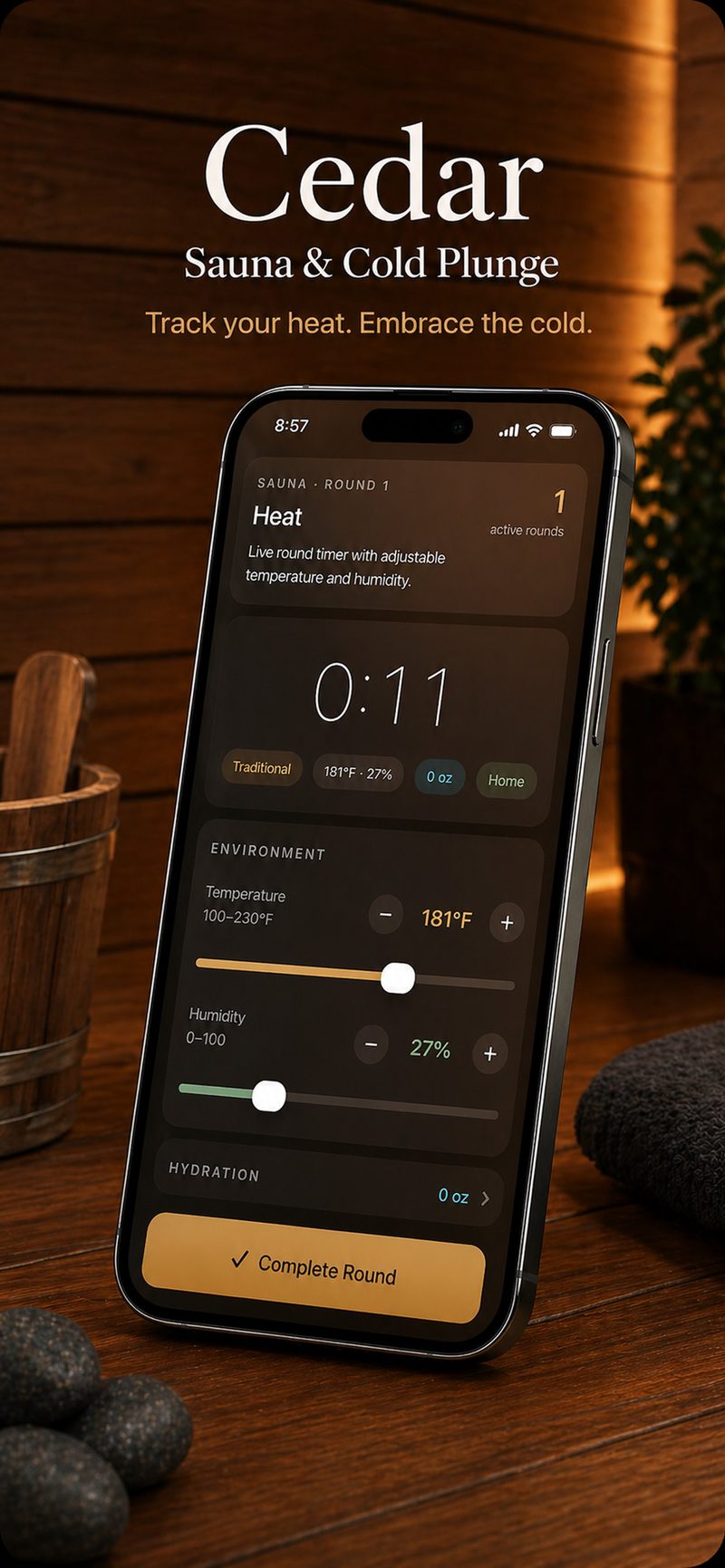
Cedar app showing active sauna session with temperature and humidity controls
3
Sauna Types
Cold Plunge Tracking
$0
Subscription. Ever.
0
Data Collected

Built for people who actually use a sauna.

No social feed. No coached programs. No ads. Just a clean, reliable way to track your heat and recovery.

One session. All your rounds.

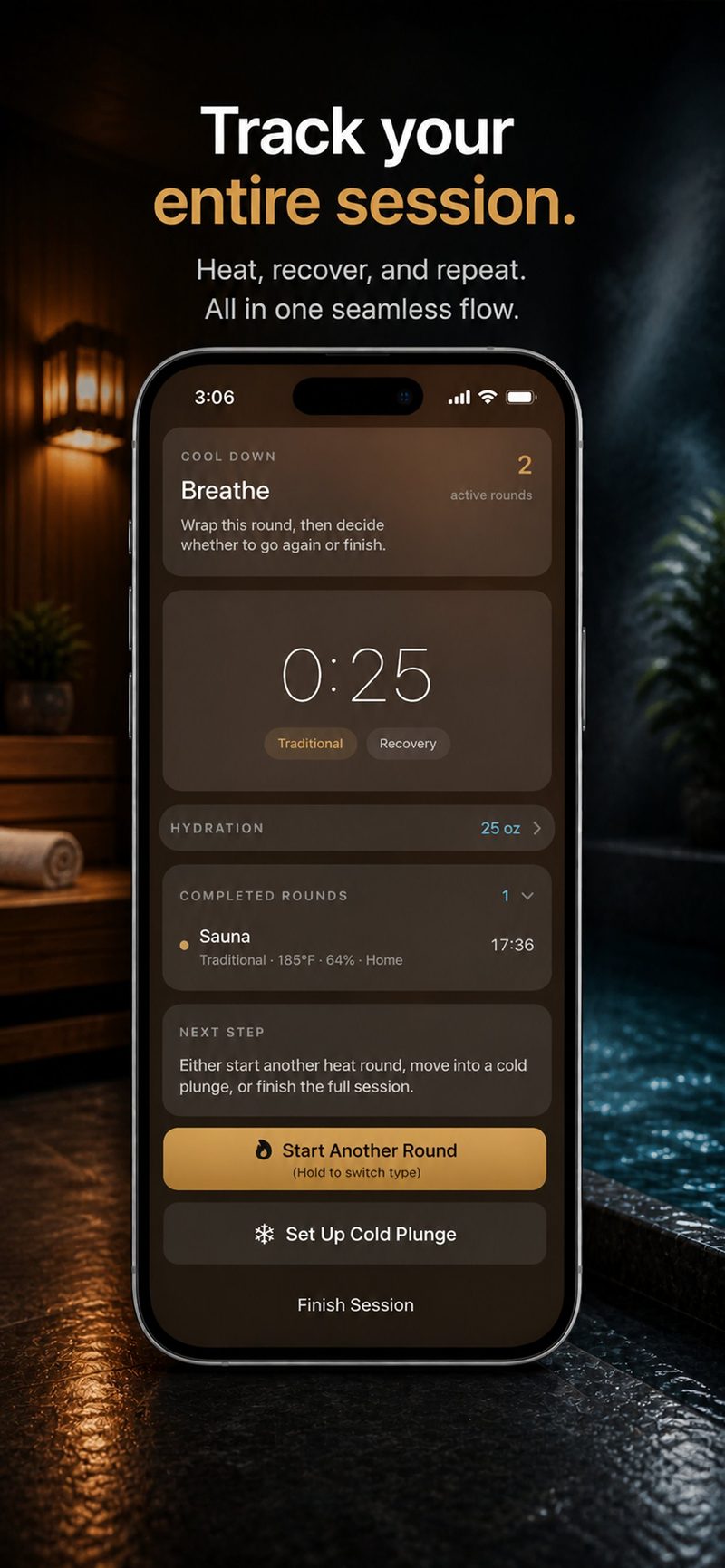
Cedar tracks your entire session as a continuous flow. Start with a sauna round, complete it, then cool down, cold plunge, or go again. Every round stays under one session.

  • Heat round — Track temperature, humidity, and duration for any sauna type.
  • Cool down — Rest between rounds at your own pace.
  • Cold plunge — Countdown or open timer for cold exposure.
  • Repeat — Go as many rounds as you want under one session.
Cedar cool down view with completed rounds and next step options

Traditional. Infrared. Steam.

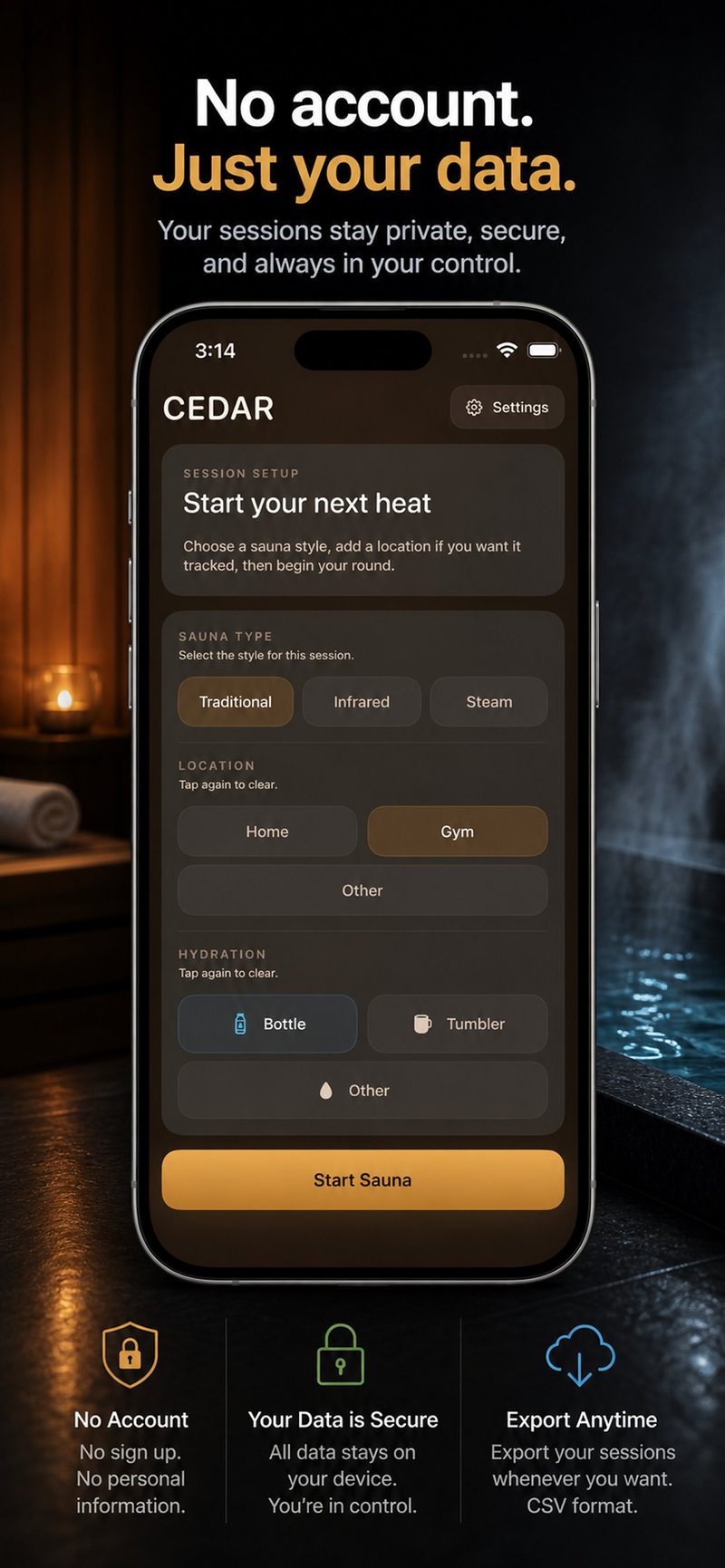
Choose your sauna type before each round. Cedar adapts the timer for each style. You can switch types mid-session — start traditional, do your next round in infrared.

  • Traditional — Temperature (100–230°F) and humidity with adjustable controls.
  • Infrared — Lower-temperature tracking tailored to IR sauna sessions.
  • Steam — Optimized for steam room environments with immersive timer.
Cedar session setup with sauna type, location, and hydration selection

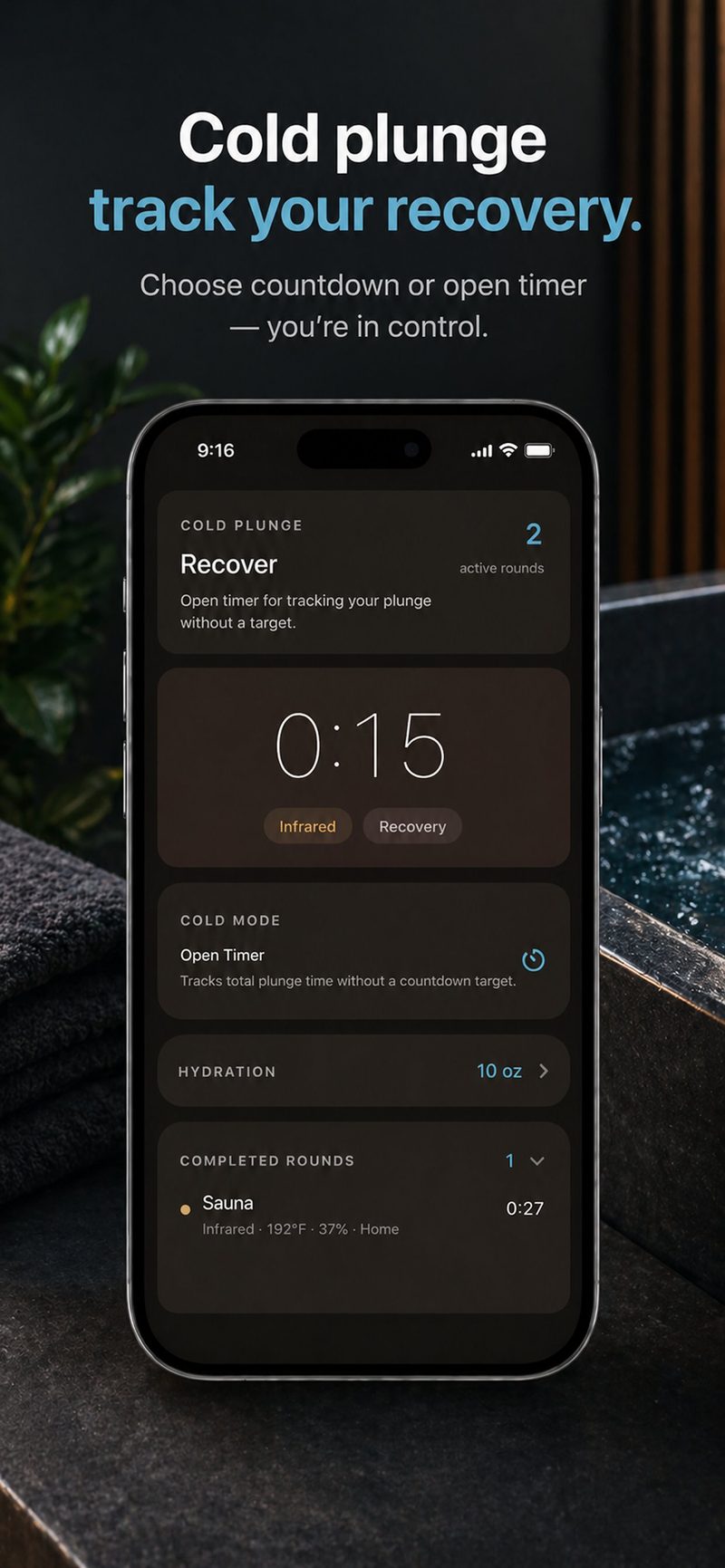
Cold plunge — track your recovery.

Choose countdown or open timer for your cold plunge — you're in control. Cedar tracks every cold round alongside your sauna rounds so your full recovery protocol is logged in one place.

Cedar cold plunge timer with recovery mode

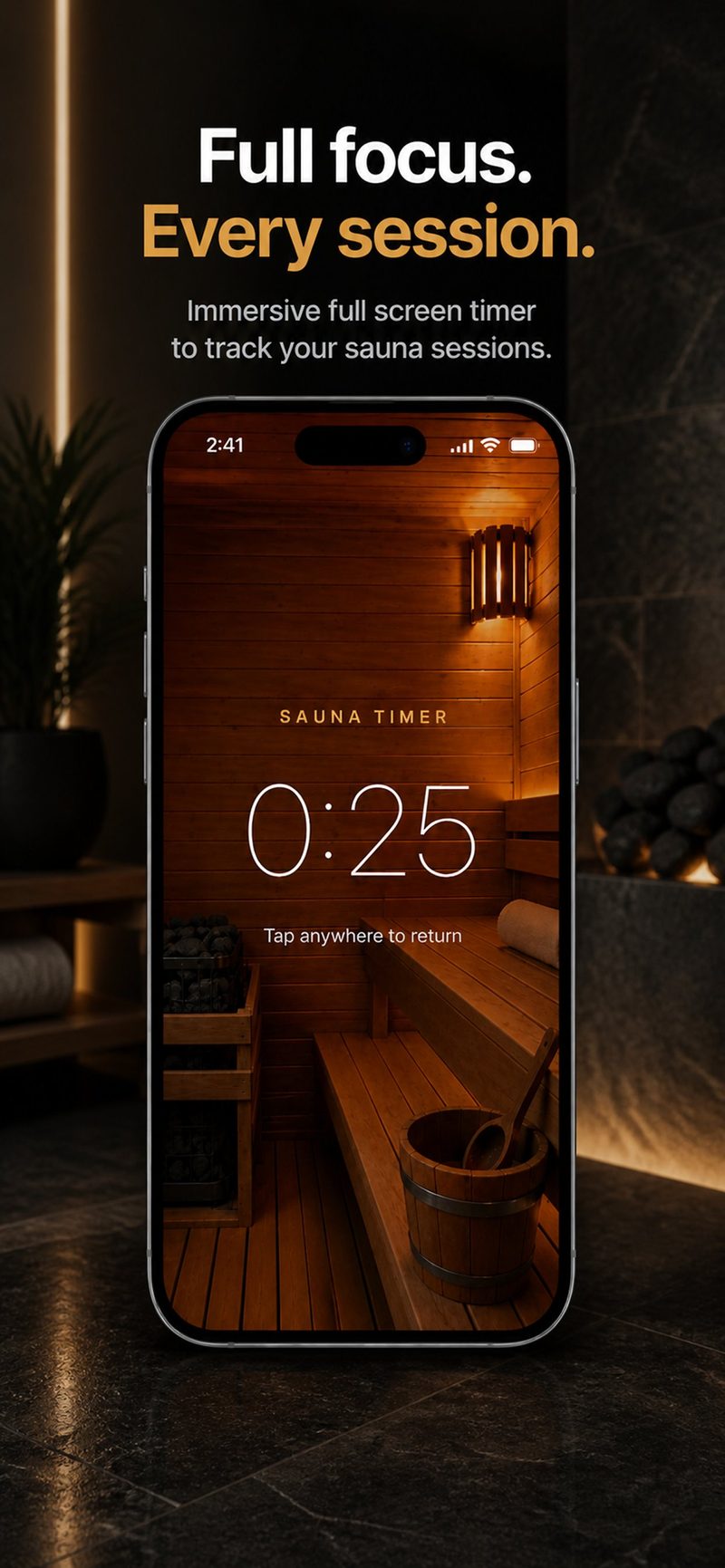
Full focus. Every session.

An immersive full-screen timer that matches your sauna type. Set your phone on the bench and read the time at a glance — large, clear, designed for low light. Tap anywhere to return.

Cedar immersive full screen sauna timer

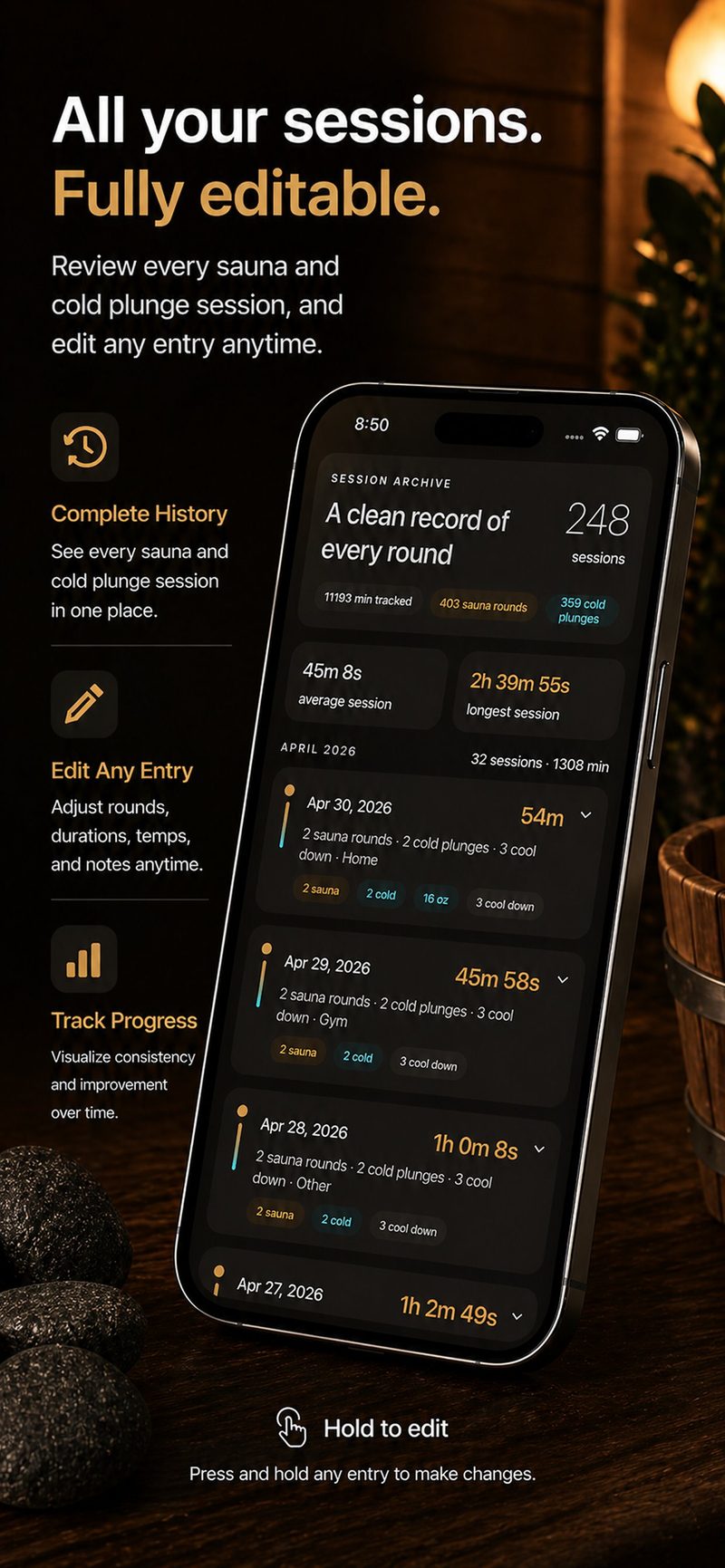
All your sessions. Fully editable.

Swipe to your history view to see every session you've tracked. Each entry shows rounds, durations, temperatures, and hydration. Organized by month with running totals.

Press and hold any entry to edit — adjust rounds, durations, temperatures, and notes anytime.

Cedar session archive with detailed entries by month

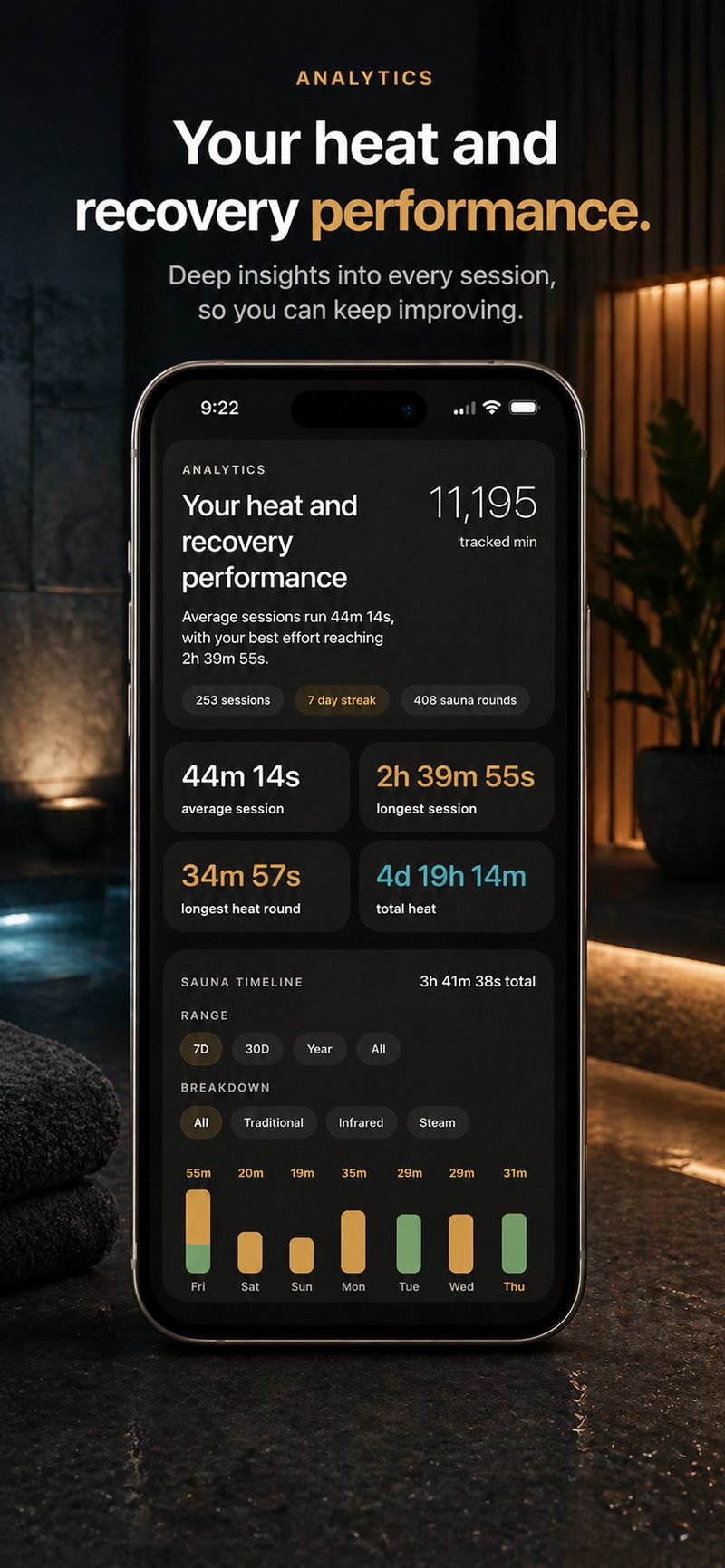
Your heat and recovery performance.

Unlock deep insights into every session with Cedar Premium. See averages, personal records, streaks, total heat time, and a timeline breakdown filterable by 7D, 30D, Year, or All — and by sauna type. One-time $2.99 purchase.

Cedar analytics with tracked minutes, averages, and timeline

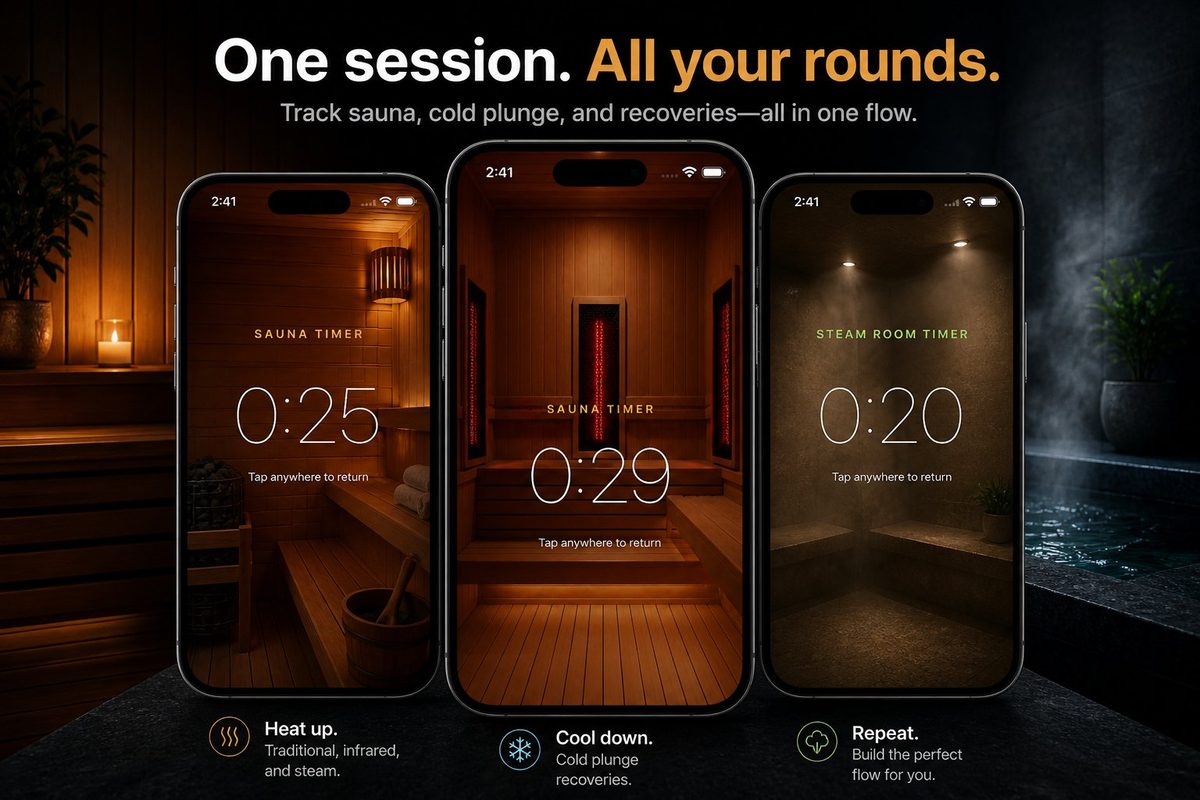
One session. All your rounds.

Track sauna, cold plunge, and recoveries — all in one flow.

Three iPhones showing traditional, infrared, and steam immersive timers

Simple by design.

No tutorials. No signup. Open the app and start.

1

Set up your session

Pick Traditional, Infrared, or Steam. Choose a location and hydration vessel if you want. Tap Start Sauna.

2

Track your rounds

Complete a heat round, then cool down, cold plunge, or go again. Cedar keeps every round under one session.

3

Review and improve

Swipe left for your full history. Swipe right for analytics. Press and hold any entry to edit it.

Get more out of Cedar.

A few things that make the app — and your sauna practice — work better.

01

Use the immersive timer on the bench.

Tap the timer to go full screen. The display is built for reading from a distance in dim light. Set your phone down and focus on your session.

02

Switch sauna types mid-session.

Start a traditional round, then do your next in infrared. Hold the Start Another Round button to switch types without ending your session.

03

Log hydration during your session.

Tap the hydration section during any active session to log water. Each tap adds one serving based on the vessel you chose at setup.

04

Swipe between views.

Main screen, history, and analytics are three swipe-views. Swipe left for your session archive, swipe right for performance stats.

05

Edit any session after the fact.

Press and hold any entry in your history to edit it. Forgot to log hydration? Wrong temperature? Fix it anytime.

06

Use the analytics filters.

Filter your sauna timeline by 7D, 30D, Year, or All — and by sauna type. This is where your consistency shows up.

Questions, answered.

Still need help? Email support@seampli.app and we'll get back to you.

Yes. The core sauna timer, cold plunge tracking, session history, and all three sauna types are free. Cedar Premium ($2.99, one-time purchase) unlocks analytics and data export. There are no subscriptions.
No. Cedar works without any account, email, or sign-up. Open the app and start your session. Your data stays on your iPhone.
None. Cedar does not collect, transmit, or share any of your session data. Your sauna sessions, cold plunges, and hydration logs stay on your device. The only analytics are Apple's built-in default app analytics, which are anonymous and controlled by your iPhone's privacy settings. Read the full privacy policy.
Three: Traditional (with temperature and humidity tracking, 100–230°F), Infrared (optimized for lower-temperature sessions), and Steam (designed for steam room environments). Each type gets its own immersive full-screen timer background.
You start a sauna round, complete it, then choose your next step: cool down, cold plunge, or another heat round. You can mix sauna types mid-session. Everything stays under one session so your full protocol is recorded together.
Yes. After any sauna round, you can start a cold plunge with either a countdown timer or an open timer. Cold plunge rounds are logged alongside your sauna rounds under the same session.
Yes. In your history view, press and hold any session entry to edit it. You can adjust rounds, durations, temperatures, and notes. Nothing is permanent.
Swipe. The app has three views: the main session screen (center), session history (swipe left), and analytics (swipe right). During an active round, tap the timer to enter immersive full-screen mode.
Yes. When you set up a session, you can choose a hydration vessel (Bottle, Tumbler, or Other). During your session, tap to log water intake. You can also customize the size of each vessel in Settings, so each tap logs the exact amount you're actually drinking. Hydration is tracked per-session alongside your rounds.
Yes. With Cedar Premium ($2.99, one-time purchase), you can export your session history in CSV format whenever you want. Your data is yours.
A one-time $2.99 purchase that unlocks the analytics dashboard (averages, records, streaks, timeline breakdowns by sauna type) and data export in CSV format. The core app — sauna timer, cold plunge tracking, session history, hydration, and all three sauna types — stays free. No subscriptions.
No. The app is free to use, and Premium is a single one-time purchase of $2.99. No auto-renewing subscriptions, no trials that convert, no recurring charges.
iOS 17.6 or later on any supported iPhone.

No account. Just your data.

Your sessions stay private, secure, and always in your control.

🔒

No Account

No sign up. No personal information. Open the app and start tracking immediately.

🛡

Your Data is Secure

All session data stays on your device. You're in control. We never see your sessions.

Export Anytime

Cedar Premium lets you export your sessions in CSV format whenever you want. Take your data wherever you need it.

Cedar

Start your next session.

Free download. No account. No subscription.

Download on the App Store