Velocity App Icon

Your speed.
Beautifully clear.

A GPS speedometer that stays out of your way.

Velocity turns your iPhone into a clean, glanceable speedometer. See live speed, altitude, distance and route, with weather and a wind compass that shows how headwind, tailwind or crosswind is affecting your ride. No account, no clutter, and every ride stays private on your device.

Free. No ads, no subscription, no account.

No account required No ads, ever Rides stay on your device
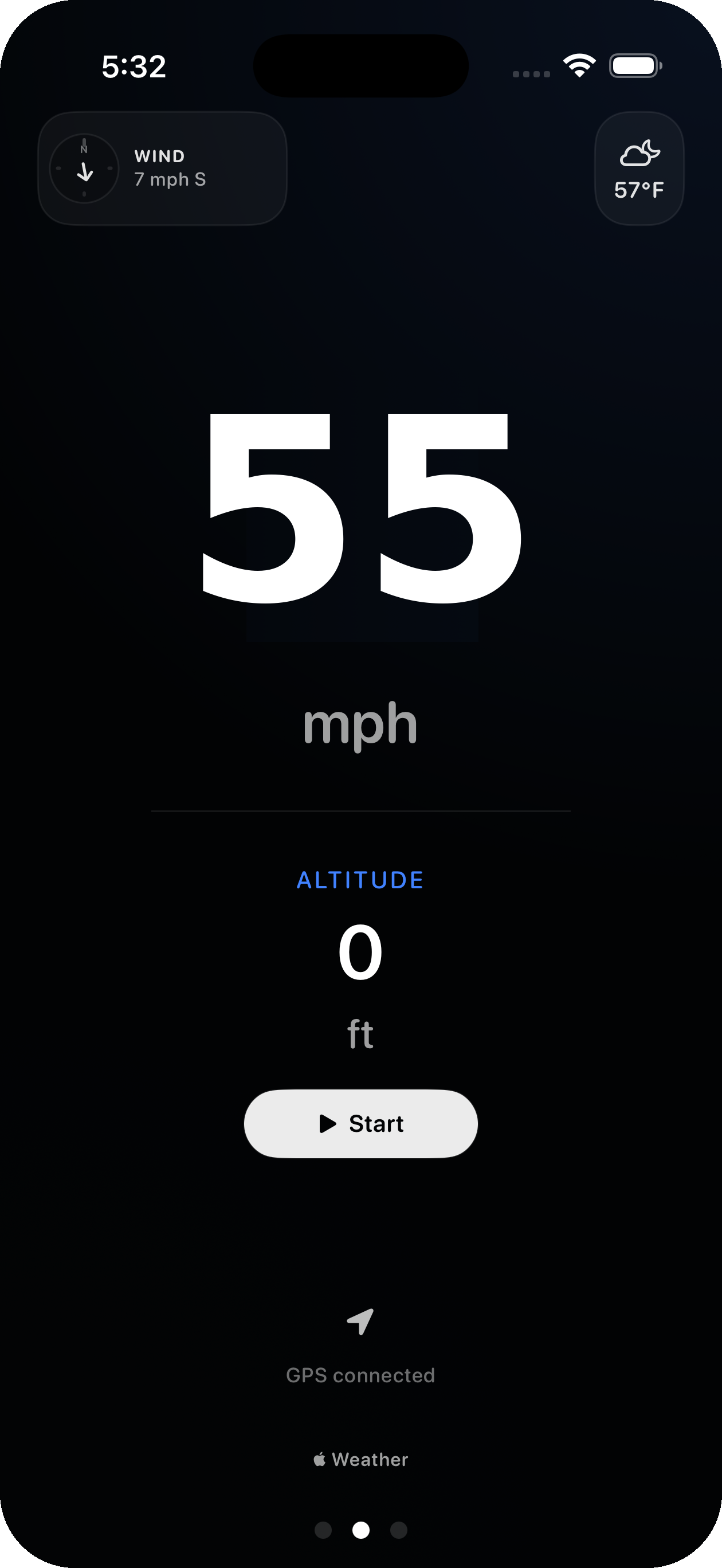
Velocity speedometer showing live speed, altitude, weather and GPS status
MPH
& km/h
4
Live metrics
$0
No subscription
Private
Rides stay on device

Everything you want at a glance, nothing you don't.

Velocity shows your speed in big, readable numbers, layers in altitude, weather and a wind compass, and records your routes privately so you can look back at every ride.

Speed first. Huge, instant, readable.

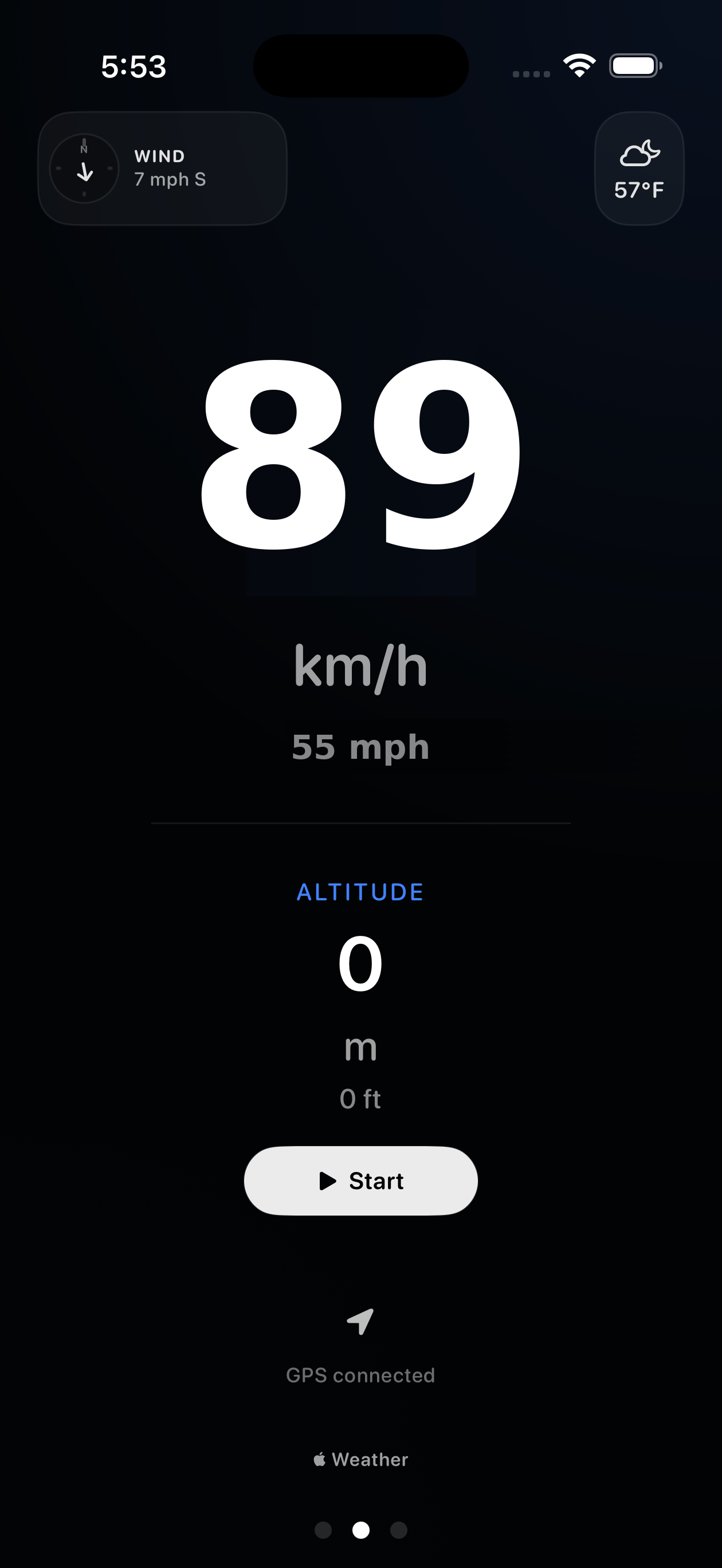
The center of Velocity is a single, oversized speed read you can check with one glance. Altitude sits right below it, with weather and a wind compass tucked into the corners so the screen never feels busy.

  • Large Numbers. A display mode tuned for a quick glance at any speed.
  • mph and km/h, together. See both units at once, tap to switch which one leads.
  • Wind compass. Shows whether you've got a headwind, tailwind or crosswind, so you know how the wind is affecting your ride.
Velocity speedometer showing mph and km/h together

Start, ride, look back.

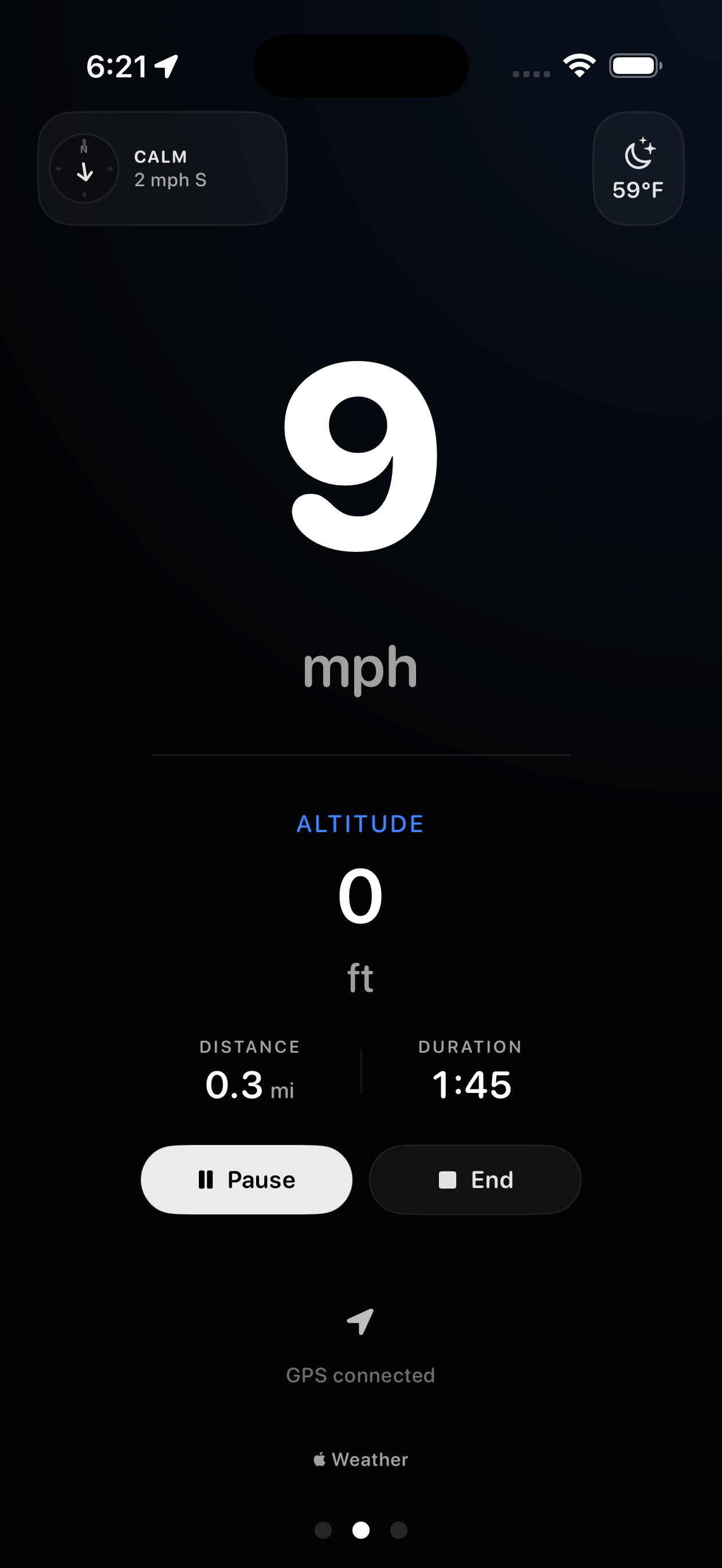
Tap Start and Velocity records your route, speed and elevation in the background while you ride. When you're done, every trip is saved with a map of where you went and charts of how you moved.

  • Route map. See the full path of each ride on a map.
  • Speed and elevation charts. How your speed and altitude changed over the ride.
  • Background recording. Keep tracking while your phone is in your pocket.
Velocity recording a ride with live speed

Every trip, on your terms.

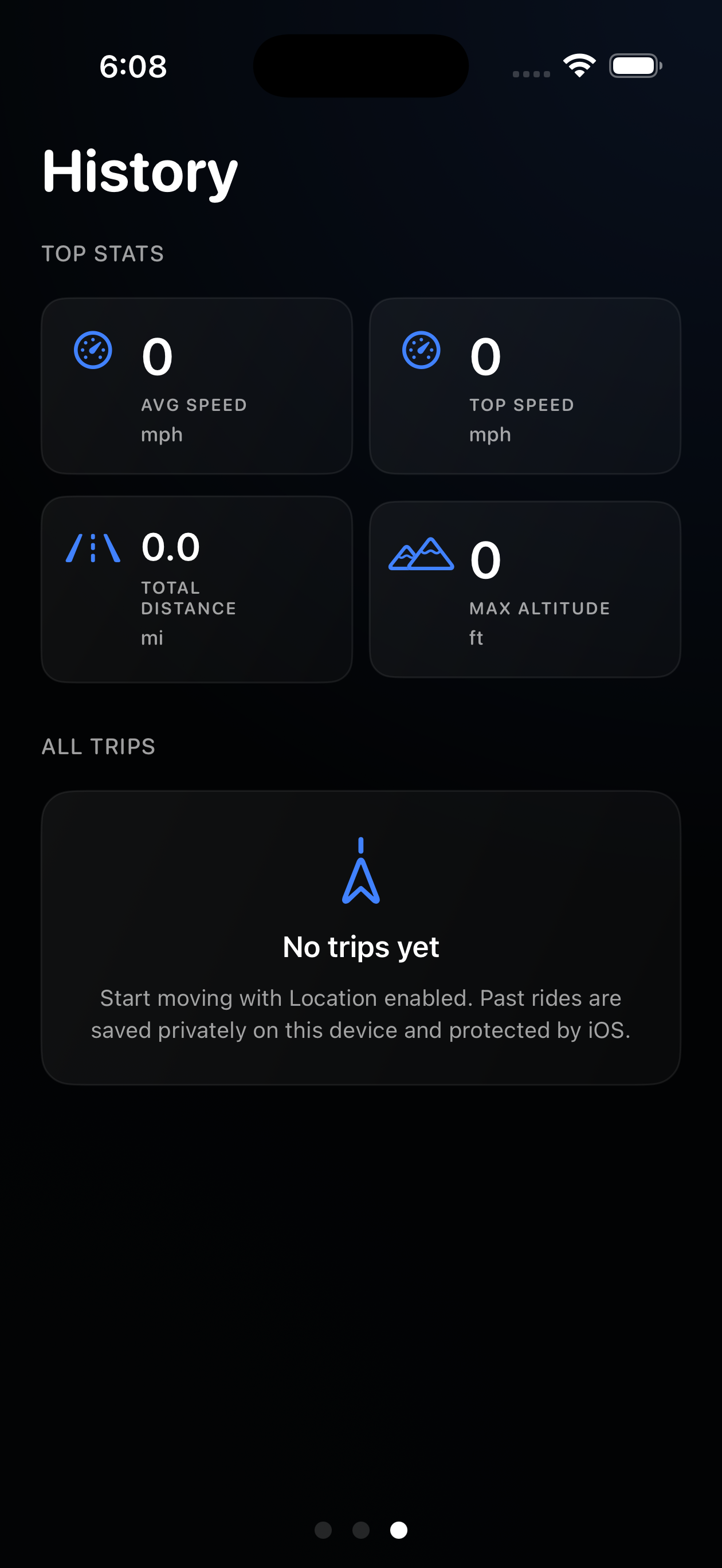
Velocity keeps your top stats and a history of past rides. Average speed, top speed, total distance and max altitude are all saved privately on your device and protected by iOS.

  • Top stats. Avg speed, top speed, distance and max altitude at a glance.
  • All trips. A clean log of every ride you record.
  • Private by default. Nothing is uploaded, and you can clear your history anytime.
Velocity history screen with top stats and all trips

Tune the display. Keep it simple.

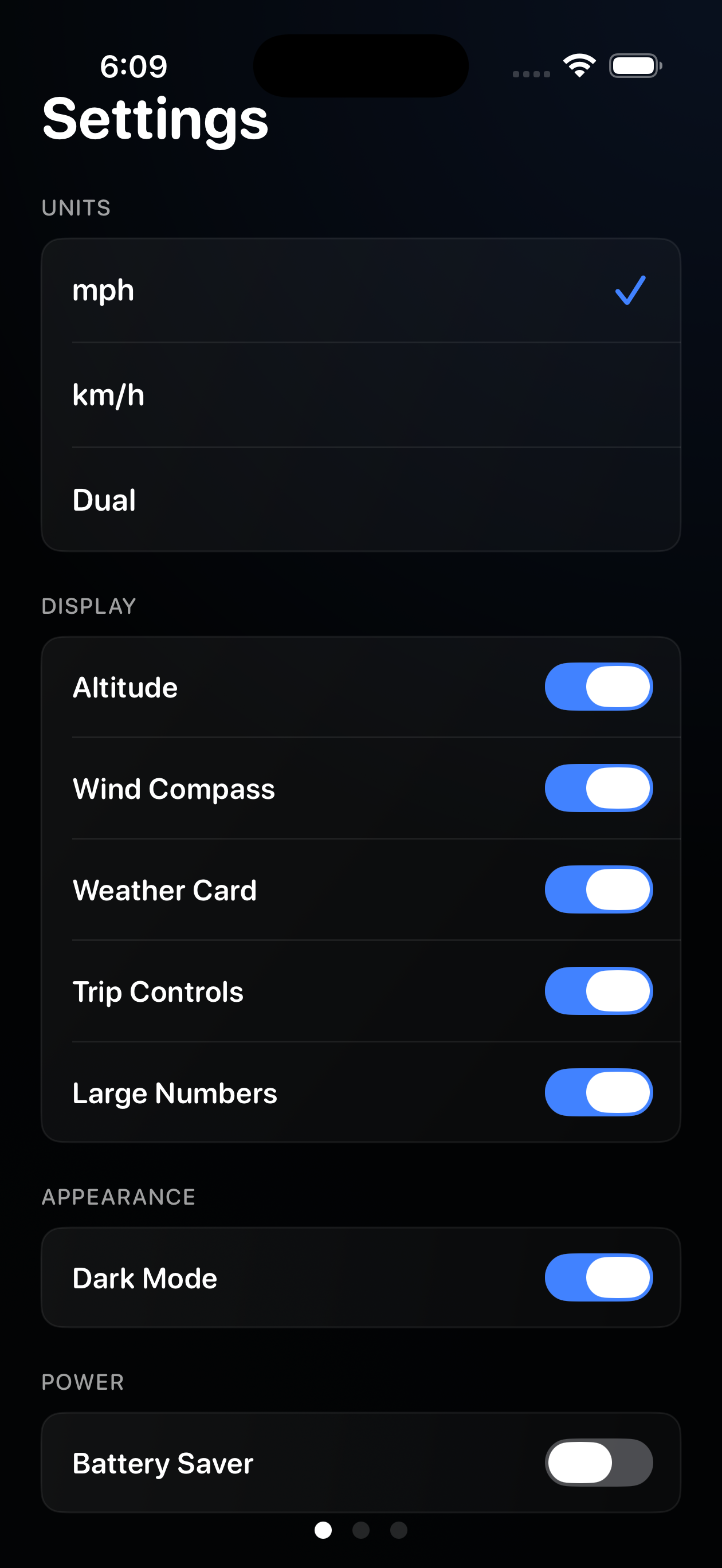
Show only what you care about. Toggle altitude, the wind compass, the weather card and trip controls on or off, switch to dark mode, and flip on Battery Saver when you need a longer ride.

  • Show what matters. Altitude, wind compass, weather and trip controls are each toggleable.
  • Battery Saver. Lower accuracy GPS to extend ride time when you need it.
  • Dark mode. Tuned for low light glances on the road.
Velocity settings screen with display toggles

Three steps. No tutorial needed.

Open the app and go.

1

Enable tracking

Allow location access so Velocity can read speed, route and elevation directly from your iPhone's GPS.

2

Tap start

Hit Start and Velocity begins recording your speed, route and elevation, even while your phone is in your pocket.

3

Review your ride

Stop when you're done. Your stats and route are saved privately in History and never uploaded anywhere.

No account. Just your rides.

Velocity is built around a simple idea: where you go is yours, and it should never leave your phone.

No Account

No sign-up. No email. No password. Enable location and start riding immediately.

No Tracking

No ad networks. No third parties watching where you go. Velocity doesn't sell or share your routes.

Stays on Your Device

Your speed, altitude and route history are saved on your iPhone, never uploaded. Only your location is shared, with Apple WeatherKit, to show local weather.

Questions, answered.

Still need help? Email support@seampli.app and we'll get back to you.

Yes, completely. The speedometer, altitude, distance, route history, wind compass (headwind, tailwind and crosswind) and weather card are all included, with no ads and no subscriptions.
No. Velocity works without any account, email or sign-up. Open the app, enable Location, and start. Your rides stay on your iPhone.
Velocity has no analytics, no ads, and no account, and operates no server that receives your data. Your speed, altitude and route history are saved privately on your device. The only data that leaves your device is your current location, sent to Apple WeatherKit to show local weather, and only when the weather features are turned on. Read the full privacy policy.
Velocity reads speed, altitude and route directly from your iPhone's GPS, so accuracy depends on GPS signal and conditions. In open areas with a strong signal it's very close to your true speed; in tunnels, dense cities or canyons it can drift like any GPS app. Battery Saver mode uses lower accuracy GPS to extend ride time, so speed and route stay usable while altitude precision degrades slightly.
Continuous GPS tracking uses power like any navigation or fitness app. To help on longer rides, Velocity includes a Battery Saver mode that lowers GPS accuracy to extend ride time. For long sessions, charging in a mount is recommended.
Yes. Velocity measures GPS speed regardless of how you're moving, so it works for cycling, driving, motorcycling, running, skiing and more. It's a glanceable read, not a turn-by-turn navigation app.
No. Velocity is free, with no subscriptions, no in-app purchases, and no ads.
Weather and wind come from Apple WeatherKit, so they need a signal and a location, and can occasionally be unavailable. When that happens the weather card simply stays empty while the speedometer, altitude and ride tracking keep working normally. You can also turn the weather features off entirely in Settings.
An iPhone running iOS 17.6 or later. Velocity is built for iPhone.
Velocity

Ready when you are.

Free download. No account. No subscription. Just your speed, clearly.

Download Velocity on the App Store